

Quick Answer: Shopee Product AI Optimiser should be used as a careful listing QA workflow, not a shortcut to automatic ranking. If the feature appears in your Seller Centre, use it to review images, titles, descriptions, attributes, and local buyer fit. Apply one change at a time, then monitor CTR and conversion for 7-14 days.
Your Shopee listings can lose buyers even when the product is good. The cover image may be unclear, the title may be hard to scan, or the description may miss key specs. This guide shows how to use Shopee Product AI Optimiser in a conservative way that improves listing quality without relying on unverified algorithm claims.
Use this workflow for products that already get impressions but have weak clicks, low add-to-cart activity, or buyer questions that should have been answered on the product page.
Shopee Product AI Optimiser: What to Check First
Start with controllable listing quality. Shopee has public policy guidance against misleading information, irrelevant keywords, brand misuse, and inaccurate product details. Your AI-assisted edits should make the listing clearer and more accurate, not more aggressive.
| Area | What to inspect | Safer action |
|---|---|---|
| Cover image | Product visibility, background, crop, text clutter, and variant match. | Use the clearest image that matches the exact SKU. |
| Title | Buyer phrase, product type, variant, material, size, and readability. | Put the main product phrase early and remove repeated words. |
| Description | Specs, benefits, use case, warranty, care, and what is included. | Fill missing facts and delete unsupported claims. |
| Attributes | Brand, model, color, material, size, compatibility, and category fields. | Complete only fields that are true for the product. |
| Campaign fit | 9.9, 11.11, voucher, stock, delivery, and bundle readiness. | Check the offer is clear before spending on ads. |
Before You Use AI Suggestions
Do not open an AI tool with an empty product page. First collect the facts that a buyer and Shopee category page need. This keeps the output grounded.
- Exact product name, model, variant, and bundle contents.
- Material, size, weight, voltage, compatibility, or care notes.
- Target market and language needs for SG, MY, PH, TH, or ID.
- Verified warranty, certification, or safety information.
- Current performance baseline: impressions, CTR, add-to-cart, conversion, and returns.
If a detail is missing, do not let AI fill it with a guess. Mark it as unknown, check your supplier file, then edit the listing only after you can verify it.
How to Use the Tool Step by Step
Step 1: Choose listings with real data
Start with listings that already receive impressions. A low-traffic listing may need product-market research first. A visible listing with weak CTR or conversion is a better candidate for copy, image, and attribute cleanup.
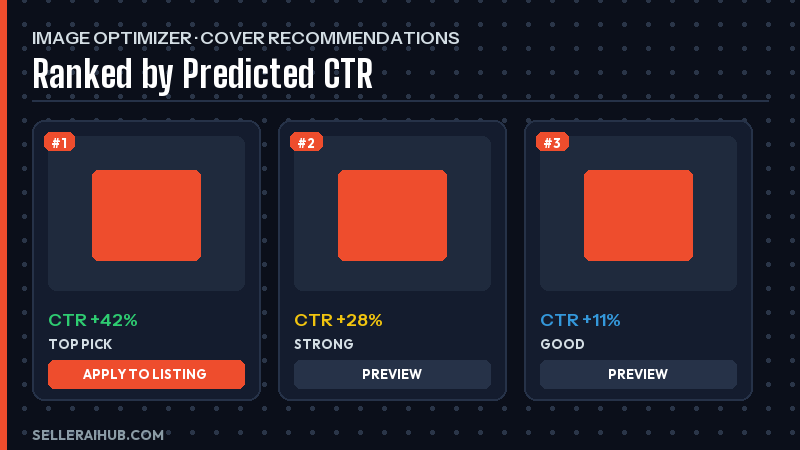
Step 2: Review the cover image recommendation
If Seller Centre gives image suggestions, compare them against buyer clarity. The best image should show the exact product, avoid misleading props, fit the selected variant, and make the item easy to understand on mobile.
Do not choose an image only because a tool labels it as better. Check whether it accurately represents the product that will be shipped.
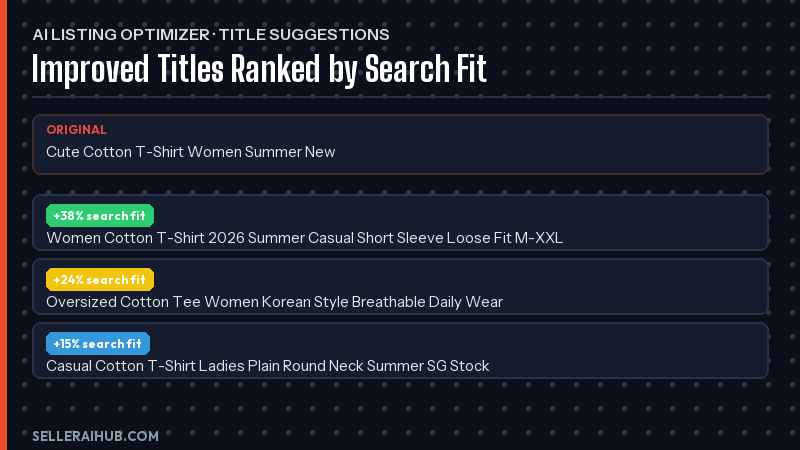
Step 3: Edit the title for clarity
A safer title includes the product type, core attribute, variant, and use case. Remove repeated keywords, unrelated brands, symbols, and claims such as “best” unless your store can support them.
Step 4: Improve the description without adding hype
Use AI suggestions to make the description easier to scan. Keep verified specs, buyer benefits, care notes, and what is included. Delete generic phrases such as “premium quality” if they do not explain anything specific.
Step 5: Check attributes and local trust details
Attributes help buyers filter and compare products. Fill fields that match the item, including size, color, material, model, compatibility, warranty, or certification. For Malaysia, Philippines, Thailand, Indonesia, and Singapore, add local notes only when they are accurate for that product.
Step 6: Save one change set and measure
Avoid changing title, image, price, voucher, and description all at once if you need clean learning. Save a small change set, record the date, then check Seller Centre performance after 7-14 days.
Example: Conservative Listing Cleanup
Here is a simple example of how an AI-assisted edit can improve clarity without making unsupported claims.
| Weak version | Safer version | Why it is better |
|---|---|---|
| Best women shirt high quality cheap fashion Korea style. | Women’s linen-blend long sleeve shirt, relaxed fit, button front, office and weekend wear, white and beige options. | Specific product type, material, fit, use case, and variants. |
| Super fast wireless keyboard for all laptops. | Compact wireless keyboard for laptop and tablet use. Check device compatibility, battery type, and warranty before checkout. | Removes broad “all laptops” claim and adds buyer checks. |
What Not to Trust Blindly
Treat AI suggestions as drafts. A recommendation can still be wrong, too broad, or unsuitable for your category. The seller should make the final decision.
- Do not accept unrelated keywords because they look high volume.
- Do not use generated images that change the product shape, color, packaging, or included accessories.
- Do not mention certifications, safety marks, or warranty terms unless you can prove them.
- Do not promise ranking, clicks, or sales results.
- Do not copy the same AI text across Shopee, Lazada, and TikTok Shop without adapting the platform context.
For official policy context, review Shopee’s Listing Violations Guide and Mall Listing Guidelines. These documents are useful guardrails when AI suggests copy that sounds persuasive but may not be accurate.
Internal Links for the Full Workflow
Use this article with rank higher on Shopee search, write Shopee product description with AI, and best AI tools for Shopee sellers. Together, they cover the image, title, description, and QA loop.
FAQ
Is the tool available to every seller?
Feature availability can vary by market, account, category, and rollout timing. If you do not see it in Seller Centre, use the same checklist manually for images, titles, descriptions, and attributes.
Can the tool promise better rankings?
No. It can help you review listing quality, but ranking and sales depend on many factors, including relevance, price, stock, reviews, delivery, competition, and buyer demand.
Should I accept every AI title suggestion?
No. Accept only suggestions that accurately describe the product and make the title easier for buyers to understand. Remove repeated, irrelevant, or misleading keywords.
How should I measure whether the change worked?
Record the edit date, then compare impressions, CTR, add-to-cart, conversion, returns, and buyer questions after 7-14 days. Use the same time window where possible.
Can I use generated product images?
Only use images that accurately represent the product being sold. Do not use AI images that change the item, hide flaws, add accessories, or create a misleading buyer expectation.
Final Takeaway
The safest approach is to treat the tool as a structured review assistant. Let it help you spot weak images, unclear titles, thin descriptions, and missing attributes. Then use your product facts and Seller Centre data to decide what should actually change.
💬 Join the Discussion
Got a question or seller tip? Drop a comment below.