
Taking professional product photos is expensive. Hiring a photographer, renting a studio, and styling every shot costs hundreds of dollars — and you still end up with the same flat white background as every other Shopee seller. Pebblely offers a different approach: upload your product photo and the AI generates styled lifestyle backgrounds in seconds, no photoshoot needed.
In this Pebblely review, we test whether it actually delivers results for Shopee and Lazada sellers in Southeast Asia — and how it compares to Flair.ai.
Quick Answer: Pebblely is a Singapore-based AI product photo tool that generates lifestyle backgrounds from plain product shots. The free plan gives you 40 images per month. Paid plans start at USD 19/month (~SGD 26). It works best for fashion, beauty, home goods, and food sellers who need gallery-worthy lifestyle images without a photoshoot. Output quality is good for social media and gallery slots 2–9, but may need retouching for hero images.
What Is Pebblely?
Pebblely is an AI-powered image generation platform that turns plain product photos into styled lifestyle images. You upload a packshot — the AI removes the background automatically, then generates a new scene based on themes you select or prompts you type. It was founded in Singapore and has a Shopify app with a 4.5+ star rating.
The core use case is creating multiple product photo variations from a single original image. Instead of one photo on a white background, you get your product on a marble countertop, in a cafe setting, on a wooden table with plants — all generated in seconds. This is especially useful for Shopee gallery slots 2–9 where lifestyle images increase engagement.
Key Features in This Pebblely Review
AI Background Generation
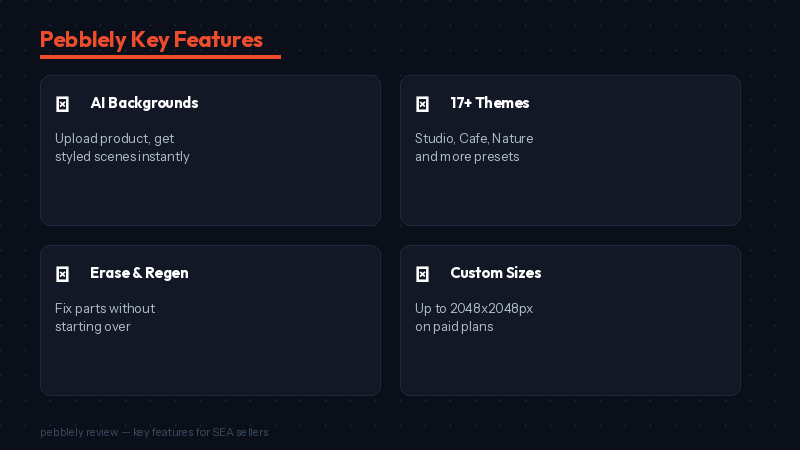
Upload a product photo and Pebblely removes the background. Then choose from 17+ pre-defined themes (Studio, Cafe, Nature, Minimalist, etc.) or type a custom prompt describing the scene you want. The AI generates multiple variations so you can pick the best one. Each generation uses one credit.
Theme Consistency
Pebblely’s strongest advantage is consistency by template. When you apply the same theme across your entire product line, every listing gets a cohesive visual style. This makes your Shopee store look professional and branded — something most individual sellers struggle with.
Custom Sizes and Editing
Paid plans support custom image sizes up to 2048×2048 pixels. You can also erase and regenerate specific areas of a generated image without starting over. This helps fix small AI imperfections without wasting credits on full regenerations.
Reference Images
You can upload a reference image — such as a styled photo from a competitor or a mood board — and Pebblely will try to generate a similar scene for your product. This feature works well sometimes but can be inconsistent. It is useful for recreating a specific aesthetic you have seen elsewhere.
Pebblely Review: Pricing for SEA Sellers
| Plan | Price (USD) | ~SGD | Images/Month | Key Features |
|---|---|---|---|---|
| Free | $0 | $0 | 40 | 17 themes, standard quality |
| Starter | $19/mo | ~$26 | More credits | Custom sizes, custom backgrounds, reference images |
| Pro | $39/mo | ~$53 | Unlimited | Priority support, high-res downloads, all features |
The free plan’s 40 images per month is generous enough to test the tool on your best-selling products. For most Shopee sellers creating 2–3 variations per product, the free plan covers about 15 products monthly.
Pebblely vs Flair.ai: Which Is Better?
Both tools generate AI product backgrounds, but they take different approaches. Flair.ai uses a drag-and-drop canvas where you position your product and add props manually before generating. Pebblely is simpler — upload, pick a theme, generate. Flair gives more creative control; Pebblely gives faster, more consistent results.
| Feature | Pebblely | Flair.ai |
|---|---|---|
| Approach | Theme-based auto-generation | Drag-and-drop canvas with props |
| Speed | Faster — fewer steps | Slower — more manual setup |
| Creative Control | Less — AI decides composition | More — you position everything |
| Consistency | Strong — themes maintain style | Moderate — depends on your setup |
| Free Plan | 40 images/month | Limited generations |
| Best For | Quick lifestyle photos at scale | Custom-styled hero images |
What We Like About Pebblely
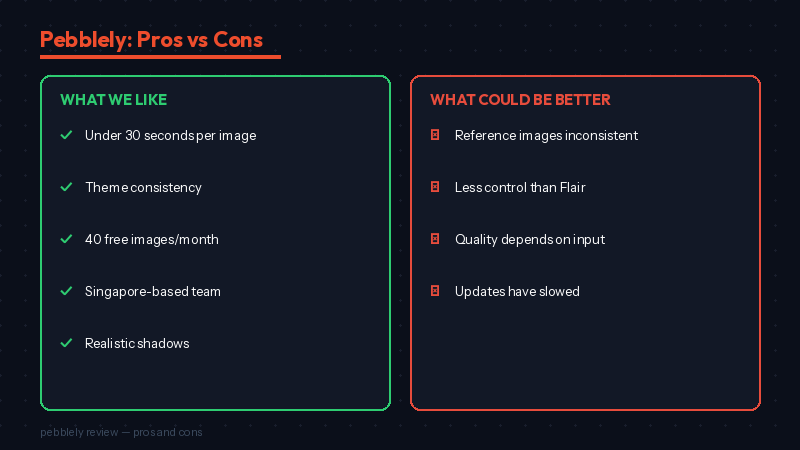
- Speed: Upload to finished image in under 30 seconds. No prompt engineering needed — just pick a theme.
- Consistency: Theme-based generation keeps your entire store looking cohesive. Great for building a branded aesthetic.
- Free plan is useful: 40 images per month covers most small sellers’ needs without paying.
- Singapore-based: The team understands SEA ecommerce and responds quickly to feedback.
- Shadows and reflections: The AI adds realistic lighting effects that make products look grounded, not floating.
What Could Be Better
- Reference images are inconsistent: Sometimes the AI ignores your reference and generates something different.
- Limited templates compared to Flair.ai: You cannot add props or fine-tune composition like Flair’s drag-and-drop canvas.
- Quality depends on input photo: Low-resolution or poorly lit product photos produce mediocre results. Start with a clean, well-lit shot.
- Updates have slowed: The last major feature update was mid-2024. Some users report the tool feels less actively maintained.
Frequently Asked Questions About Pebblely
Is Pebblely free to use?
Yes. The free plan gives you 40 image generations per month with access to 17 pre-defined themes. This is enough for most small Shopee sellers. Paid plans start at USD 19/month for custom sizes and backgrounds.
Can I use Pebblely images on Shopee and Lazada?
Yes. Images generated on paid plans are licensed for commercial use, including product listings, ads, and social media. Download the images and upload them to your Shopee or Lazada listing as you would any product photo.
Is Pebblely better than Flair.ai for Shopee sellers?
It depends on your priority. This Pebblely review found it is faster and more consistent for generating lifestyle photos at scale. Flair.ai gives more creative control with its drag-and-drop canvas. If you want speed and consistency, choose Pebblely. If you want custom composition, choose Flair.
Does Pebblely remove backgrounds automatically?
Yes. When you upload a product photo, Pebblely automatically removes the background before placing your product into the new scene. You do not need a separate background removal tool. For dedicated background removal, tools like Pokecut or Photoroom offer more precision.
Final Verdict: Pebblely Review 2026
Pebblely is the simplest way to turn plain product photos into styled lifestyle images. For Shopee and Lazada sellers who want their gallery to look professional without hiring a photographer, the free plan is the best starting point. The theme-based approach makes it ideal for maintaining a consistent store aesthetic across your entire product line.
Our rating: 3.8 out of 5 for SEA marketplace sellers.
Explore more photo tools: Read our AI Product Photo Tools Comparison or the full Best AI Tools for Shopee Sellers 2026 guide.
💬 Join the Discussion
Got a question or seller tip? Drop a comment below.